
Documentation / Getting started
My settings
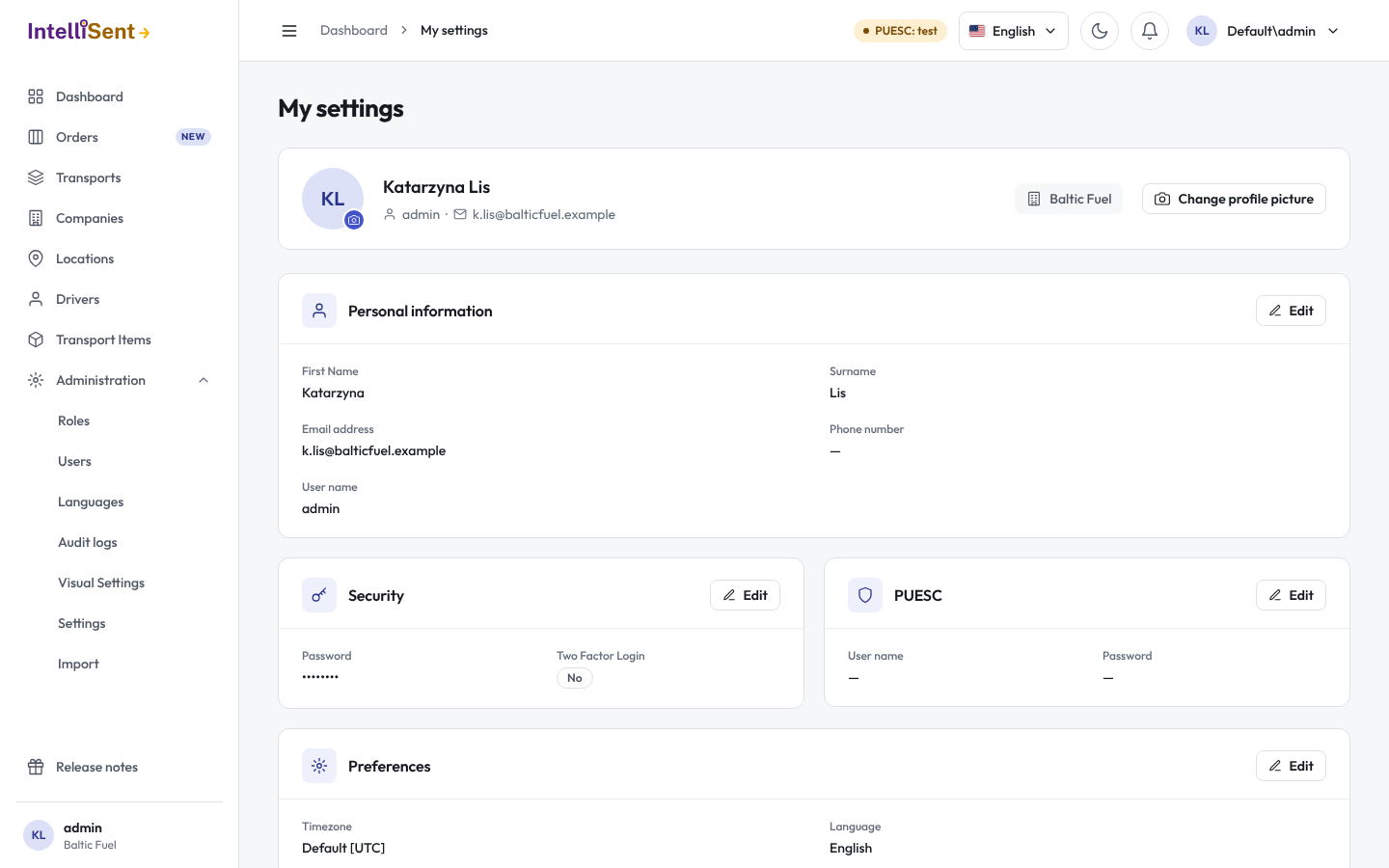
My settings, in the account menu under your picture, holds your own account: your personal information, your password, two-factor sign-in, your PUESC credentials and your preferences. Each section has its own Edit and Save.
Personal information
Your first name, surname, e-mail address, phone number and user name. The administrator's user name cannot be changed.
When your company uses SMS verification, a phone number has to be verified before codes are sent to it: click Verify, and enter the code IntelliSent texts you.
Profile picture
Change profile picture takes a JPG, PNG or WebP picture, which you crop to a square. It shows in the top bar and the menu. Remove picture shows your initials instead.
Security
- Change password: your current password, then the new one twice. The password must meet your company's rules (see Settings).
- Two Factor Login: when your company allows an authenticator app, Enable shows a QR code; scan it with Google Authenticator or a similar app and enter the code it shows to confirm.
PUESC
Your own PUESC (SEAP) user name and password, used when IntelliSent sends SENT notifications in your name. Verify checks them with PUESC before you save.
This section is needed only when your company does not use one PUESC login for everyone. When the administrator has set the organization's login (see Settings), your notifications go out with it.
Preferences
- Language: the language of the app and of the e-mails IntelliSent sends you.
- Timezone: the time zone dates and times are shown in. After a change, IntelliSent reloads the page.