
Documentation / Getting started
Dashboard
The dashboard is IntelliSent's start page. It shows what needs your attention, the transports in progress, your plan's usage and the state of the connection with PUESC. Click Refresh to read the figures again; the time of the last refresh is beside it.
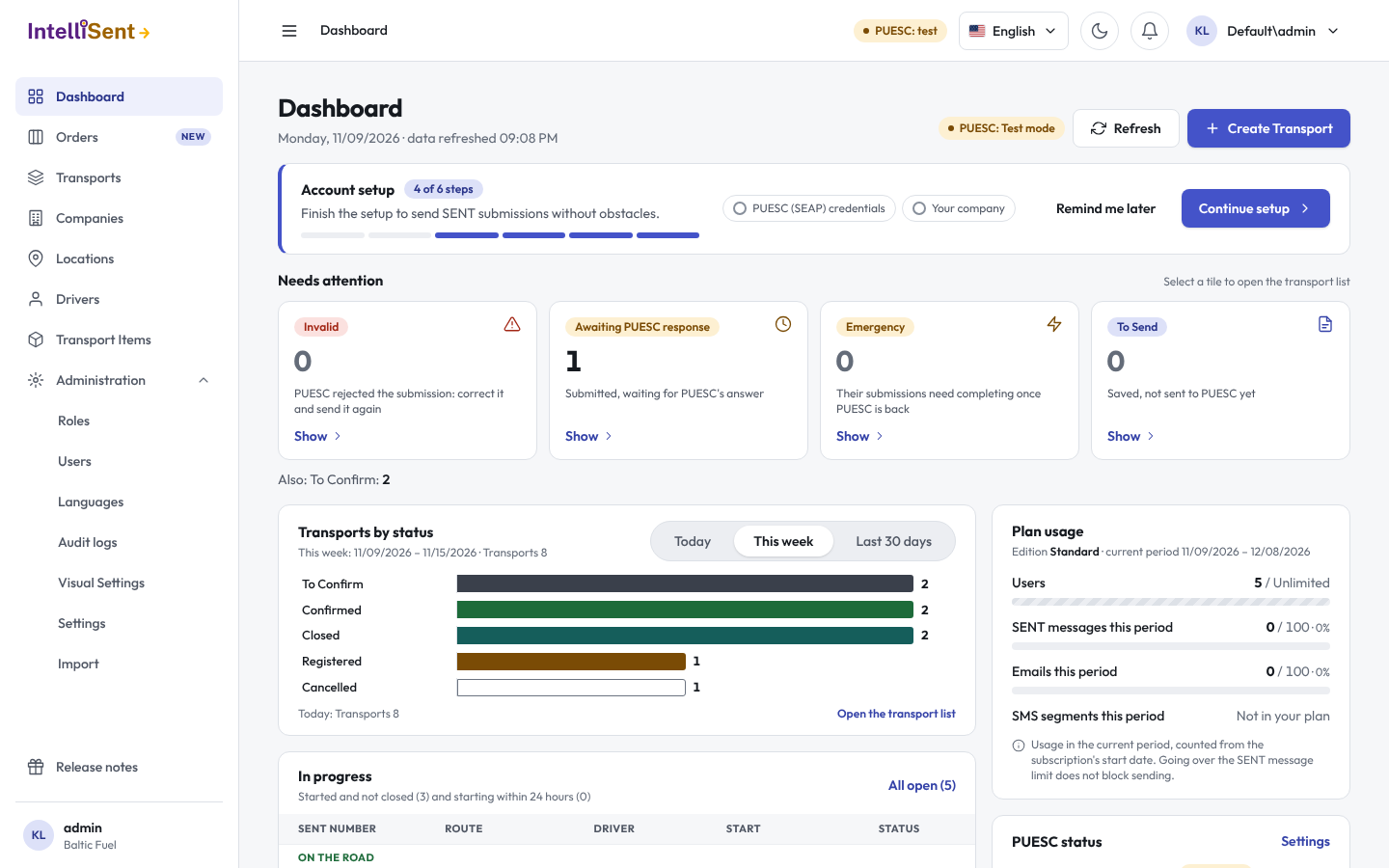
Account setup
While the welcome wizard has steps left, a card shows how many are done. Continue setup opens the wizard, Remind me later hides the card for now. When only optional steps are left, the card says so.
Needs attention
Tiles count the transports that need someone:
- Invalid: PUESC rejected the notification. Correct the transport and send it again.
- To Send: saved, not sent to PUESC yet.
- Registered: sent and waiting for PUESC's answer; the tile says since when the oldest has waited.
- Emergency: handled under PUESC's emergency procedure, to be completed once PUESC is back.
Click a tile to open the transport list with just those transports. When nothing needs you, the card says Nothing needs your attention.
Transports by status
A chart of your transports by status in the chosen Range, such as today or the last 30 days. Open the transport list shows them in the list.
In progress
The transports that have started and are not closed yet, and those starting within the next 24 hours, with their SENT number, route, driver and start. All open opens the list of every open transport.
Plan usage
How much of your plan you have used in the current period, counted from the start of your subscription: SENT messages, e-mails and SMS. During the trial the card says until when it lasts. A figure close to its limit is marked Near limit, one over it Limit exceeded. Going over the SENT message limit does not stop sending.
PUESC status
- Environment: Live, or Test mode (notifications do not reach the real SENT register).
- SEAP credentials: set for the whole organization, set in each user's My settings, or Not set. Without them nothing can be sent.
- Last sent and Last response: when IntelliSent last sent a message to PUESC and last received an answer.
- A warning when PUESC's emergency procedure is active; see Emergency procedure.
Recent activity
The latest changes to your transports, newest first.