
Documentation / Order board
Board settings
Board settings, on the order board, sets the board's columns and what each one does. It needs the permission Order board configuration.
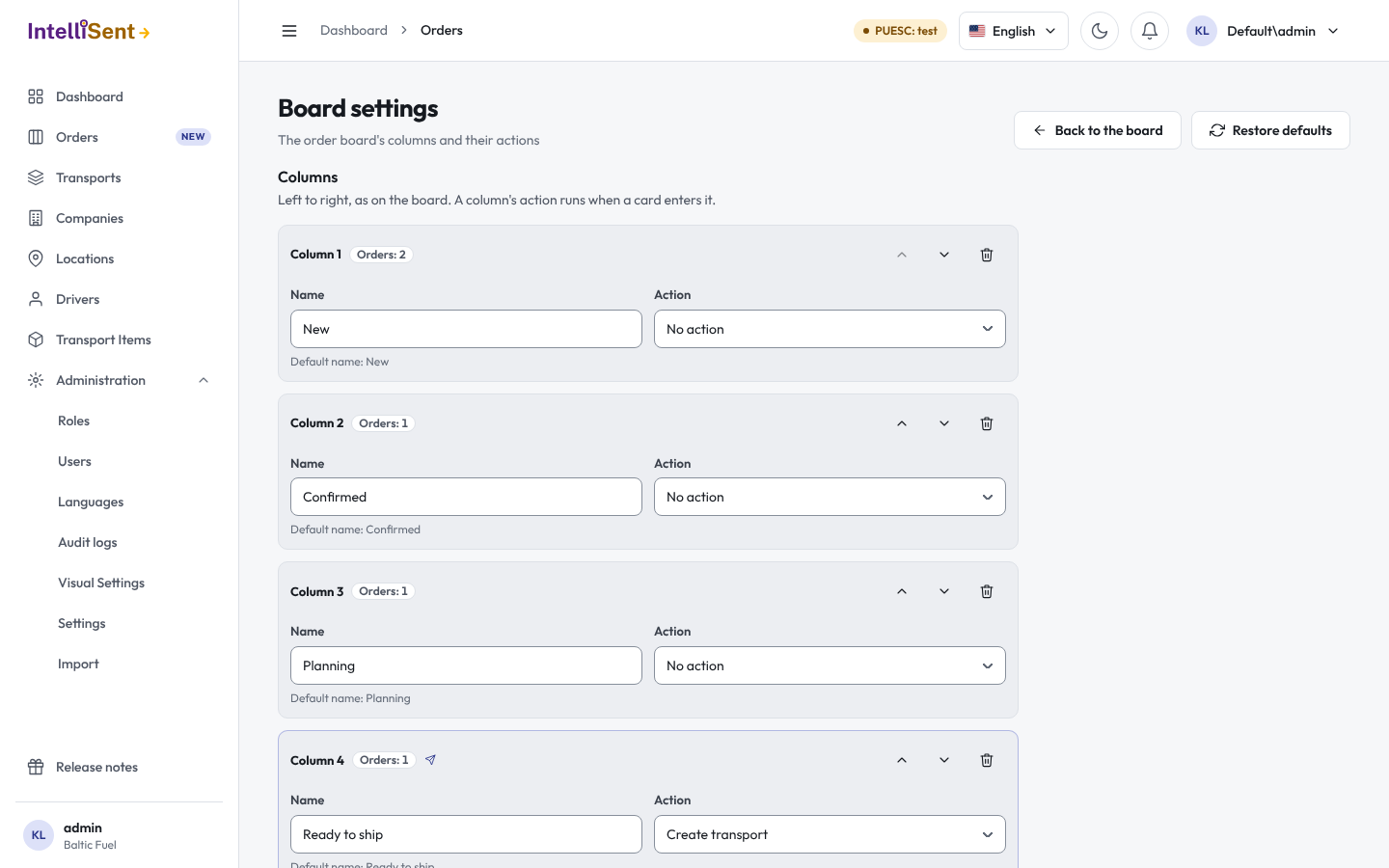
Columns
The columns are listed left to right, as on the board. For each one:
- Name: your own name for the column. A column of the default board shows its default name until you change it.
- Action: what happens when a card enters the column:
- No action;
- Create transport and SENT 100: the order's transport is created (see Dispatch an order);
- Close transport: the delivery is recorded and the transport closed (see Record the delivery);
- Hand over to invoicing: the order goes to accounting;
- Webhook: IntelliSent calls your own system, for example your ERP.
- Send SENT automatically, for the columns that create or close a transport: whether the column sends the SENT message itself. When it is off, the board sends nothing: the transport is saved as a draft (or the delivery is recorded) and you send SENT from the transport's screens.
Use the arrows to move a column earlier or later, Add column for a new one and the bin to remove one. A column that holds orders asks where they go when you save: a column they can move to without skipping an action that has not run for them.
Save settings stores the changes; until then Discard changes drops them. Restore defaults puts back the 7 default columns with their names and actions; orders in columns you added go to New.
Webhooks
A Webhook column calls an address of yours whenever a card enters it, with the order's data. Enter the Webhook address and a Secret: IntelliSent signs each call's body with it (HMAC-SHA256), so your system can check the call came from IntelliSent. A stored secret is kept when you leave the field blank.
The Webhook log lists the latest calls, newest first, with the order, the column, the result and the number of attempts. A failed call is retried a few times, further apart each time; a card whose call failed after every retry is marked Webhook failed.