
Documentation / Companies, locations, drivers and goods
Locations
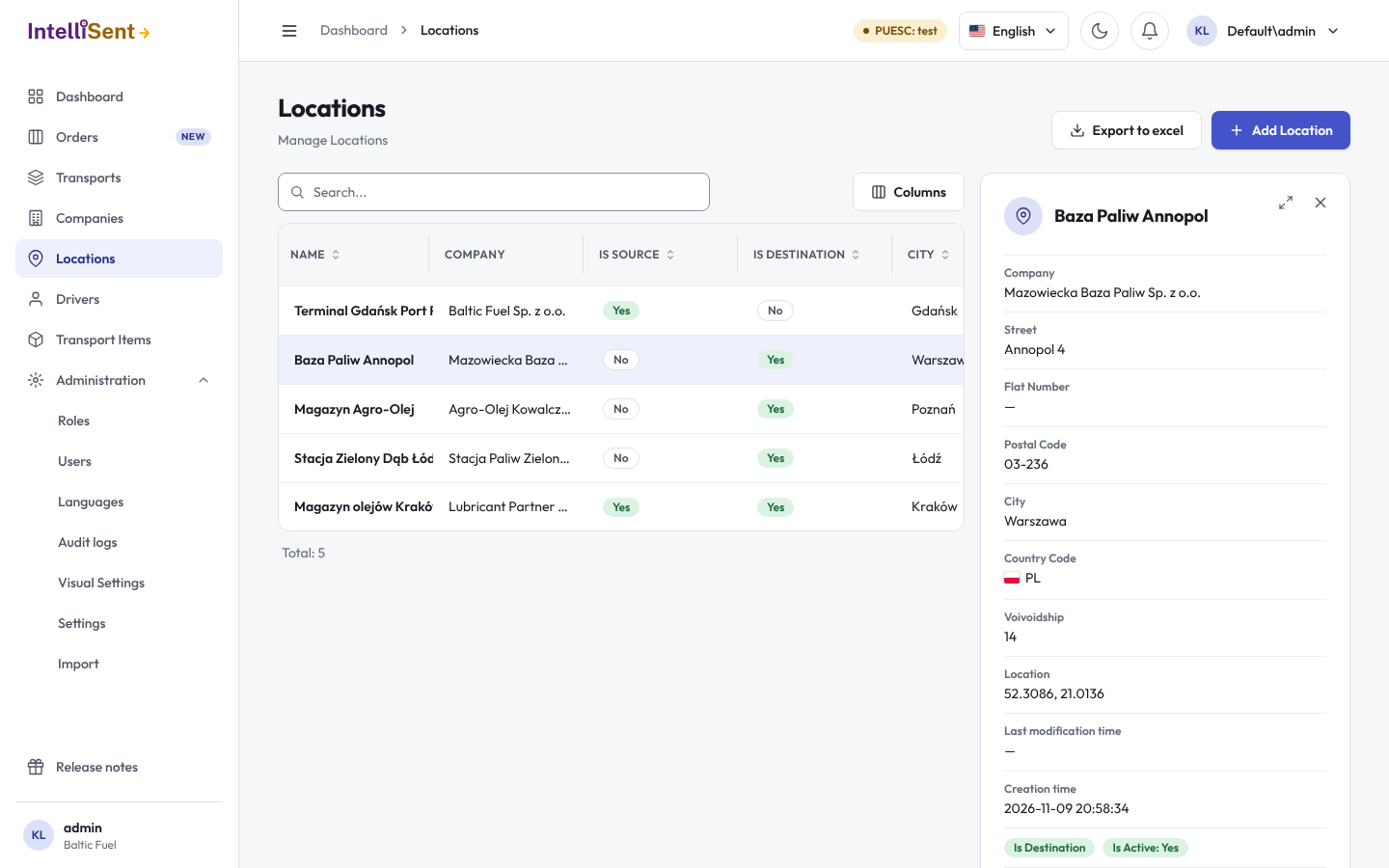
Locations holds the places goods are loaded and unloaded: depots, warehouses, filling stations, customers' sites. The transport form's Journey picks the loading and unloading places from here, with their exact coordinates, which SENT needs.
Who can see and change locations
In Roles, the permission Location lets a user see the list; its child permissions let them create, edit and delete locations.
Add a location
- Click Add Location, or Add Location on a company's Locations tab.
- Pick the Company the place belongs to. Use company address copies the company's address and finds its coordinates.
- Give the place a Name and its address: street, house and flat number, postal code, city, voivodship and country.
- Click Find Geolocation coords to fill in the Latitude and Longitude from the address. Several matches are listed: pick one and Apply selected. Locate on map shows the coordinates on Google Maps, where you can check the pin.
- Tick Is Source for a loading place and Is Destination for an unloading place (or both).
- Click Save.
The coordinates matter: SENT 100 needs the loading place's, SENT 200 the unloading place's, and SENT 105 both.
Change a location
Open it from the list, change what you need and save. Untick Is Active for a place you no longer use. Copy adds a new location with the same data, for example another tank at the same depot.
Favourite loading place
On the transport form, the star beside the loading place saves it as the favourite of the chosen sender. When your company sets an automatic loading place in the settings (see Settings), new transports start with it.